Assingment Description
The Challenge
Our team was tasked with imagining a sustainable future society aligned with UN Sustainable Development Goals. We needed to create an interactive p5.js experience that would make this future tangible and engaging while educating users about sustainable practices.
The Solution
An underwater civilization where players take a "field trip" through three key facilities: an energy generator room, a farmhouse for resource cultivation, and an air extractor room. Through intuitive UI and engaging visuals, players discover how this society thrives beneath the ocean.
My Role & Contributions
Design Responsibilities
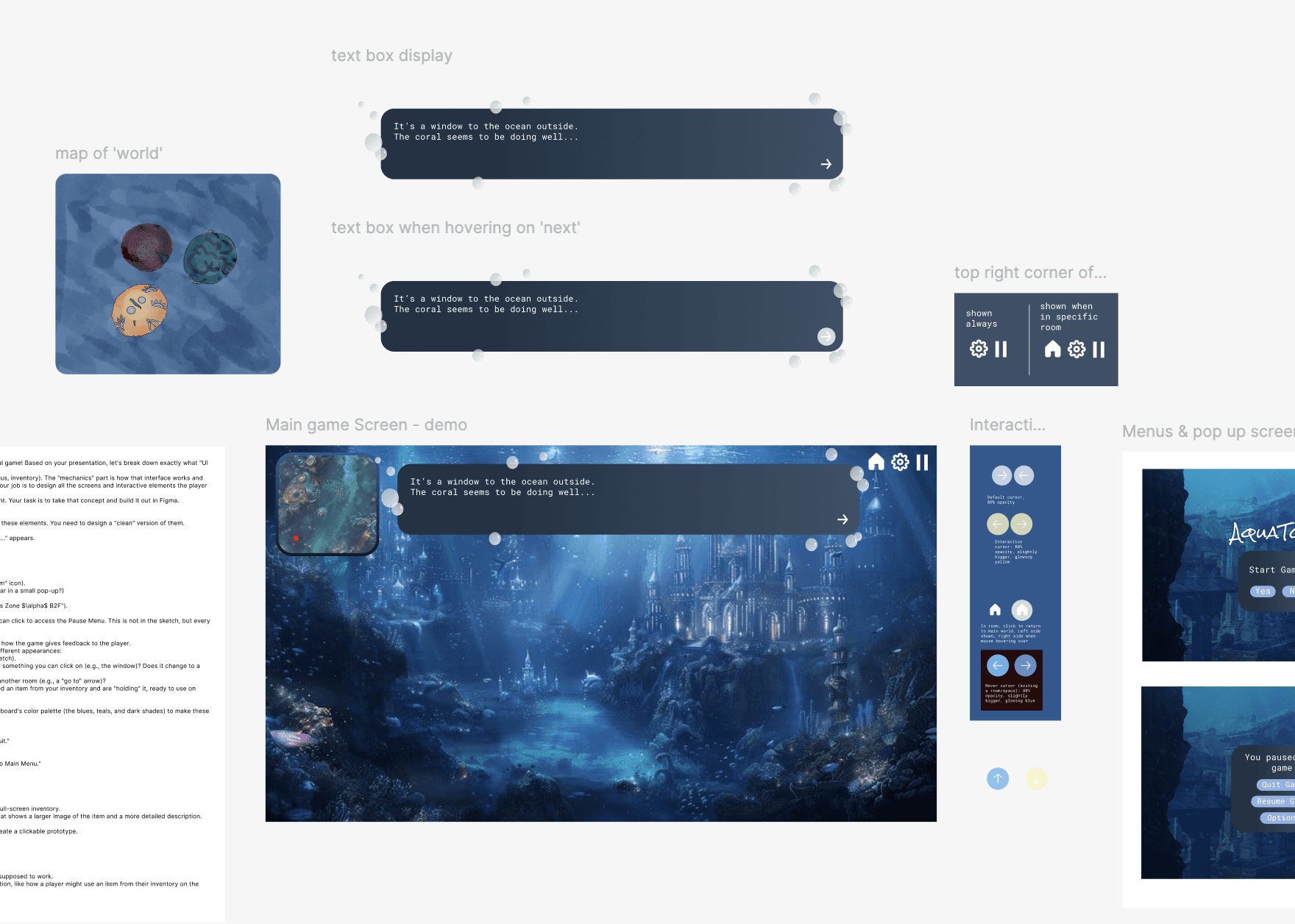
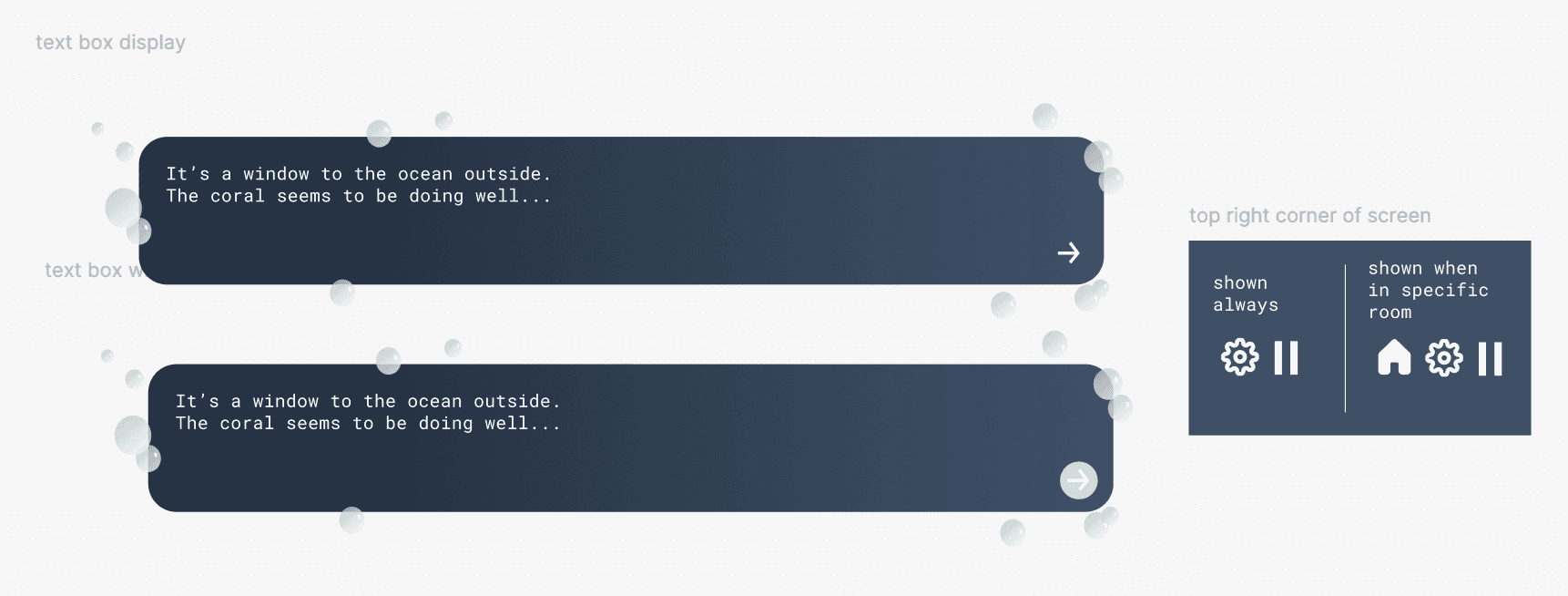
Complete UI System Design - Designed all interface elements including navigation controls, room indicators, and interactive components
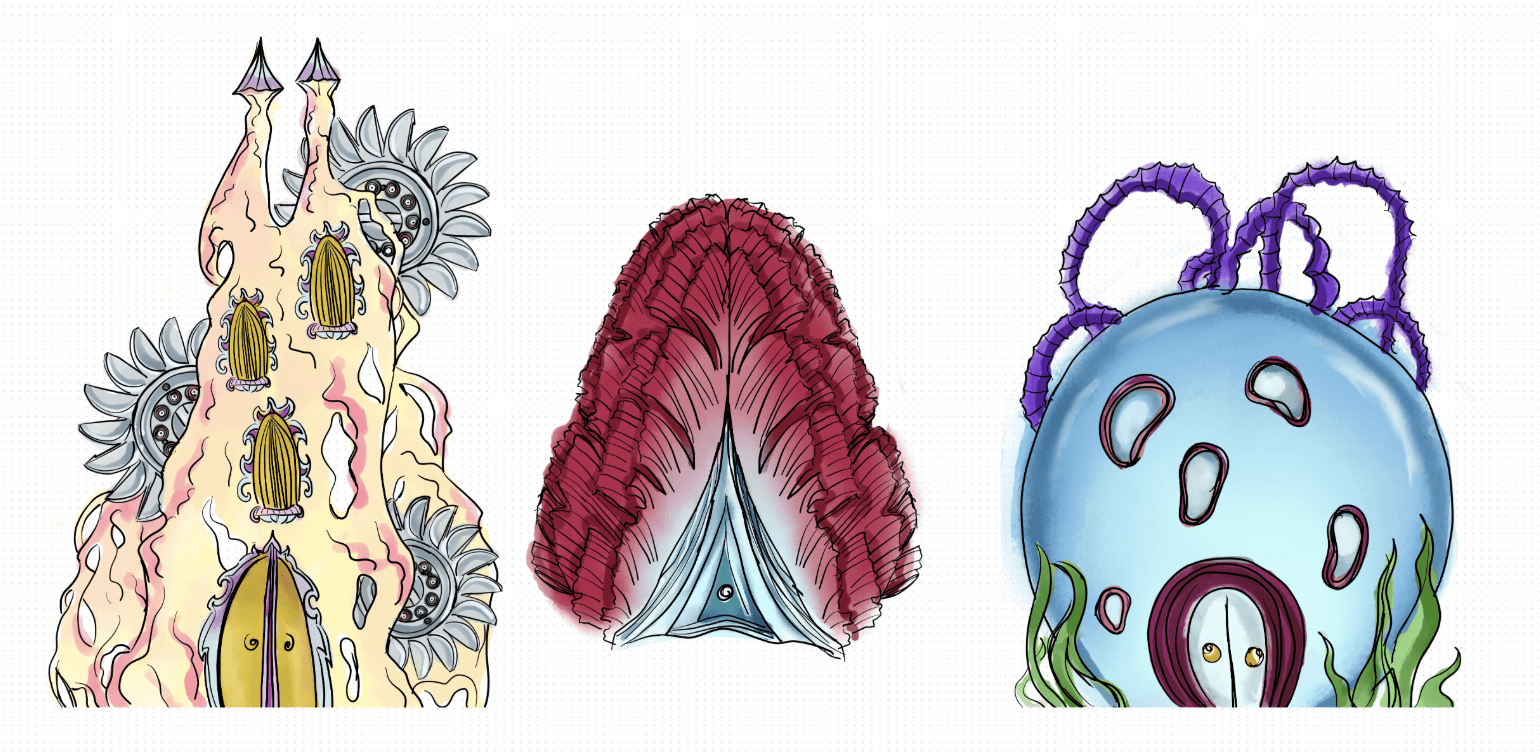
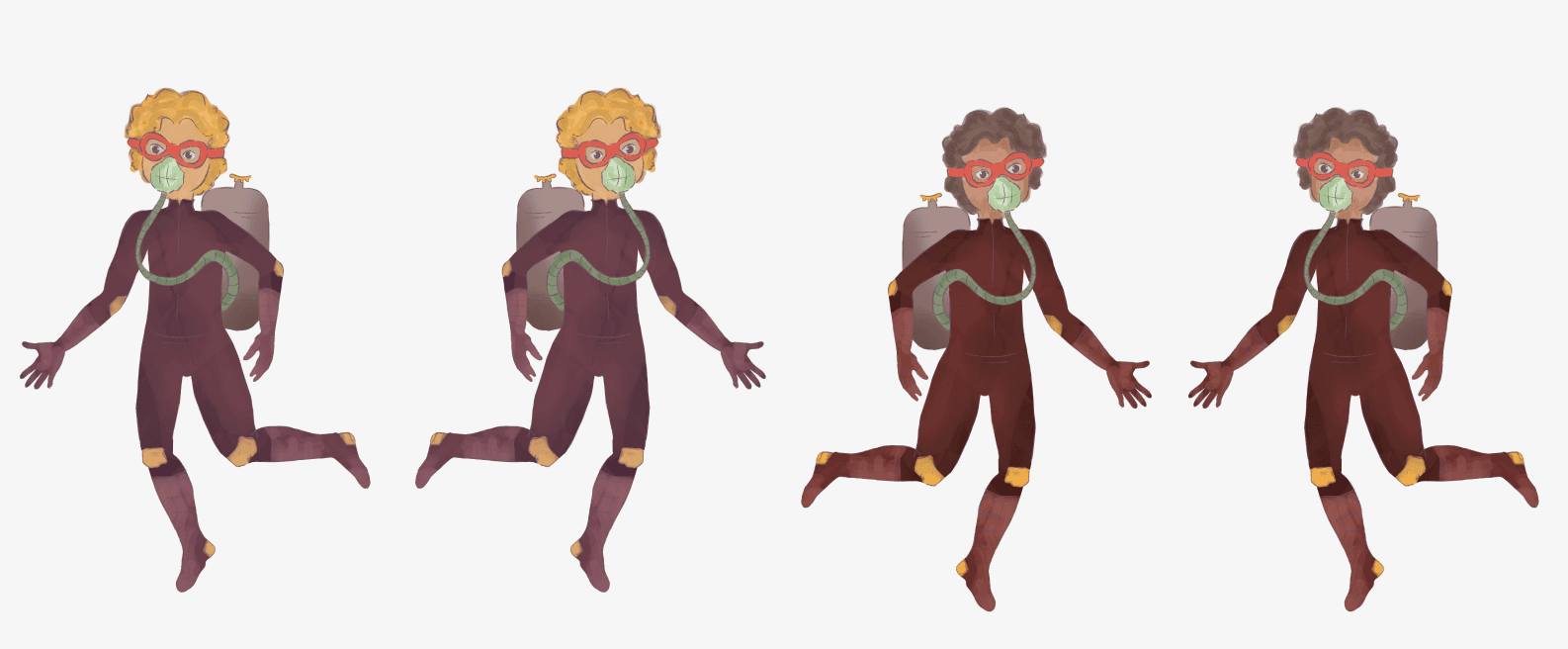
Visual Design - Created character designs, environmental assets, and visual language for the underwater world
User Experience Strategy - Provided critical feedback on interaction patterns and user flow
Asset Creation - Utilized Figma for UI components and Procreate for illustration work
Design Process
Research & Ideation
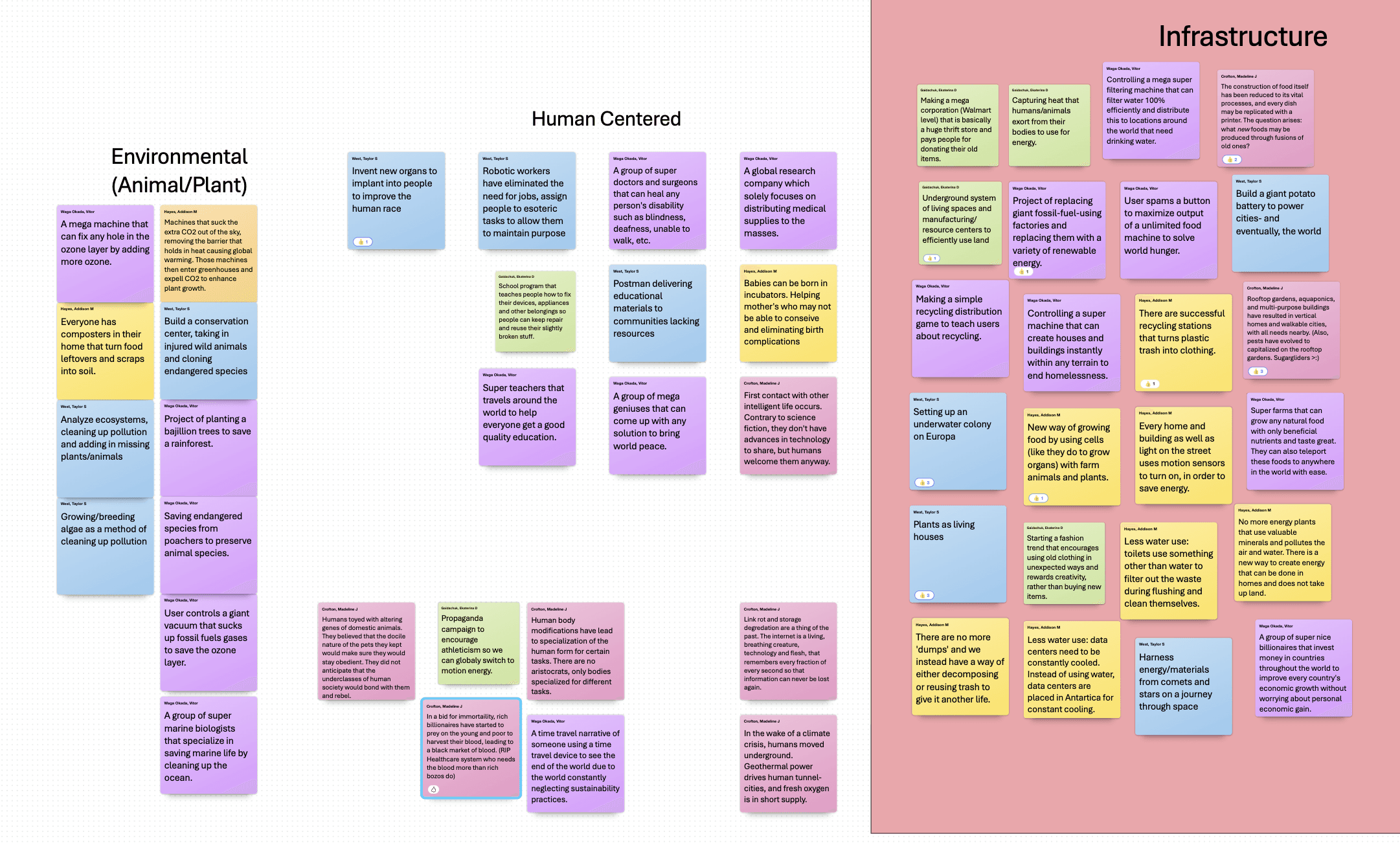
Generated 50+ unique concepts exploring different sustainable futures
Clustered ideas into thematic groups to identify patterns
Selected the underwater sustainability concept based on team consensus
Defined how an underwater economy, social structures, and daily life would function sustainably
Defining the World
World Building
The Concept: An alternative underwater civilization where sustainability isn't just a goal— it's the foundation of survival. The city functions through three interconnected sustainable systems
Experience Design: We formatted the world as a "field trip" experience, positioning the player as a visitor learning about this civilization through guided exploration— a familiar and accessible framework for educational content
The Three Rooms
Energy Generator Room: Powers the entire underwater city through sustainable energy sources
Farmhouse: Grows resources for food and building materials, cultivating plants and sea animals
Air Extractor Room: Provides breathable air for all citizens living underwater
UI/UX Design
Design System Development
I created a cohesive visual language appropriate for a underwater setting that balanced aesthetic appeal with functional clarity
Key Design Deliverables
Character design and directional sprites
Room entry indicators and navigation controls
Movement interface (directional arrows)
Interactive elements for each sustainable facility
Environmental assets and visual atmosphere
Dialogue and information displays system
UX Improvements & Iteration
Throughout the project, I identified critical usability issues and proposed solutions to enhance the player experience
Navigation Optimization
Issue Identified: Movement arrows were confusing when the character entered rooms, creating visual clutter and unclear affordances
Solution Proposed: Implement conditional visibility— hide directional controls within rooms to reduce confusion and focus attention on room interactions
Interaction Refinement
Issue Identified: Players could trigger room entry from any position by clicking, breaking the spatial logic and sense of exploration
Solution Proposed: Implement proximity-based interaction or keyboard controls (spacebar) for intentional room entry, requiring players to physically move their character to doorways
Character Movement Enhancement
Issue Identified: Choppy animation and limited movement range prevented access to the third room, creating a frustrating user experience
Solution Proposed: Create directional character sprites that flip based on movement direction and extend movement boundaries to ensure full map accessibility
Map Design Decision
Collaborative Decision: After evaluating spatial navigation needs, the team concluded that removing the map feature would maximize limited screen space for immersive gameplay without sacrificing usability
Challenges & Learnings
Challenge: Team Communication & Implementation
One team member took on implementation responsibilities but didn't communicate when they became overwhelmed. This resulted in an initial submission with minimal UI implementation of my designs— a frustrating situation that threatened the project's success
My Response
Proactivity reached out to the professor to address the communication gap and advocate for the project's completion
Facilitated improved team coordination to complete implementation before final documentation
Ensured all design work was properly integrated into the final product
Key Takeaways
This experience taught me the critical importance of:
Regular check-ins with team members on progress and blockers— dont assume silence means everything is fine
Clear communication channels — establishing when and how to escalate concerns before deadlines
Proactive problem-solving — addressing issues early rather than assuming progress is being made
Documentation — maintaining clear design specifications to support implementation and handoff
These lessons have fundamentally shaped how I approach team collaboration in all subsequent projects, making me a more effective communicator and team player
Future Improvements
Given more time and resources, I would refine several aspects of the user experience and visual designs:
Enhanced Movement System
Expand traversable area — Allow the character to move fully across the landscape, reaching both edges of the screen for complete exploration freedom
Improvement movement range — Ensure players can physically position themselves in front of all three rooms without collision or boundary restrictions
Visual Consistency & Polish
Screen Standardization — Establish and maintain consistent layouts, spacing, and UI placement across all room screens
Text bubble configuration — Fix alignment and positioning issues to ensure all dialogue and informational text displays properly without visual glitches
Character Differentiation
Professor character redesign — Create a more distinct visual identity for the NPC guide that clearly differentiates them from the player character
Visual hierarchy — Use color, silhouette, scale, or styling to immediately communicate the different roles (player vs. guide) through visual design alone
Why These Matter: These improvements would enhance usability by removing confusion between player and NPC, create a more polished confusion between player and NPC, create a more polished professional appearance, and provide players with the freedom to explore the world fully — reinforcing the 'discovery' aspect of our educational game concept
Final Outcome
Impact & Results
Created an engaging educational experience that makes complex sustainability concepts accessible through intuitive design
Designed a complete UI system that successfully guided players through multi-room exploration
Contributed to a project selected for inclusion in the professor's teaching portfolio
Developed professional portfolio piece demonstrating UI design, illustration, and collaborative problem-solving skills
Reflection
Aquatopia challenged me to design for both education and engagement—making sustainability concepts accessible through play. Balancing aesthetic appeal with functional clarity in a constrained canvas taught me to prioritize essential UI elements and advocate for the user experience even when facing technical or team challenges.
Design Learnings: Reflecting on the final product, I identified several areas where additional iteration would strengthen the experience. Expanding the character's movement range, ensuring visual consistency across screens, and creating stronger character differentiation would have elevated both usability and immersion. These insights have sharpened my eye for detail and reinforced the importance of sufficient QA time in the design process.
This project reinforced that great UI/UX design isn't just about beautiful interfaces—it's about advocating for the user, collaborating effectively, problem-solving throughout the entire product lifecycle, and maintaining critical perspective on your own work to drive continuous improvement.